◈ AutoDrop. Analyse. Master.
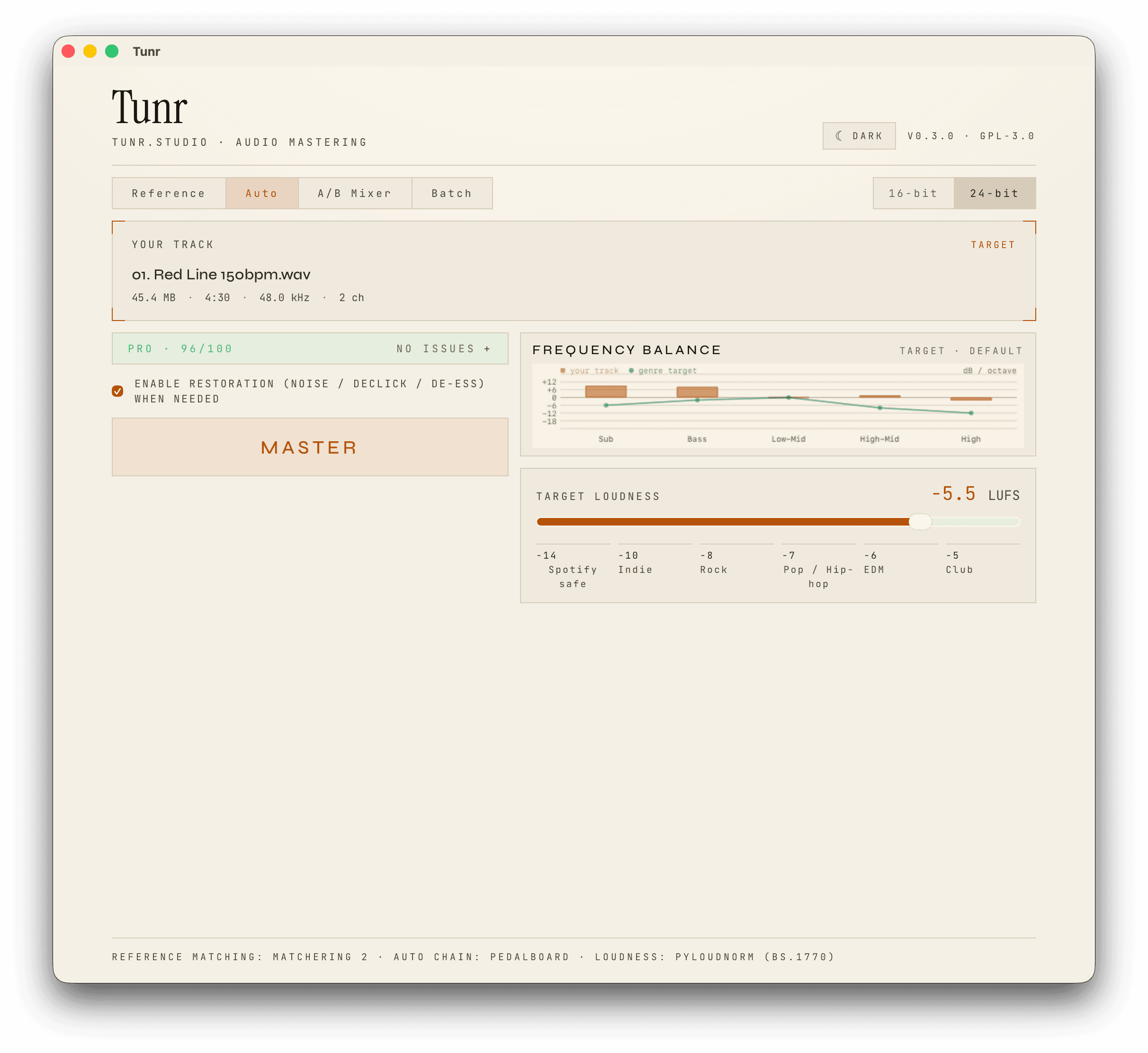
Tunr analyses your track, lists what it found, and proposes a chain with a reason for every step. Preview the loudest 20 seconds against your mix, change anything you like, then render.
Drop a track. Tunr analyses it, proposes a mastering chain with a reason for every step, and renders a release-ready master. Locally, on your Mac or PC. No subscription.
local mastering · vs the cloud
Tunr is a desktop app for Mac and Windows that masters your tracks entirely on your own computer: no upload, no account, no subscription. It analyses your track, lists what it found, and proposes a mastering chain (EQ, compression, multiband, saturation, stereo and a true-peak limiter) with a plain-language reason for every step, or matches a reference track you choose in Reference mode. You hear the loudest 20 seconds against your mix before you render, and every master comes with a report of the delivered true peak and loudness. It is free, and includes unlimited masters, with 3 free masters to try first. Because everything runs locally, your unreleased music never leaves your computer.
| Tunr | Cloud mastering | |
|---|---|---|
| Pricing | free | $10–40 / month |
| Where it runs | On your computer | Their servers |
| Your unreleased tracks | Never leave your computer | Uploaded to the cloud |
| Works offline | Yes | No |
| Masters included | Unlimited | Often capped |
| Analysis-driven chain with reasons | Yes, every step explained | Rarely |
| Reference matching | Yes | Sometimes |
| Preview before you render | 20 s A/B against your mix | Sometimes |
| Delivery report (true peak, LUFS) | Yes | Sometimes |
| Account required | No | Yes |
three to master · one to compare · no plugins, no waiting
Tunr analyses your track, lists what it found, and proposes a chain with a reason for every step. Preview the loudest 20 seconds against your mix, change anything you like, then render.
drop audio here
wav · flac · mp3drop audio here
wav · flac · mp3Drop your track and any song you want to sound like. Tunr matches its tonal balance, dynamics, and loudness so yours sits right alongside it, and shows you each correction before you commit.
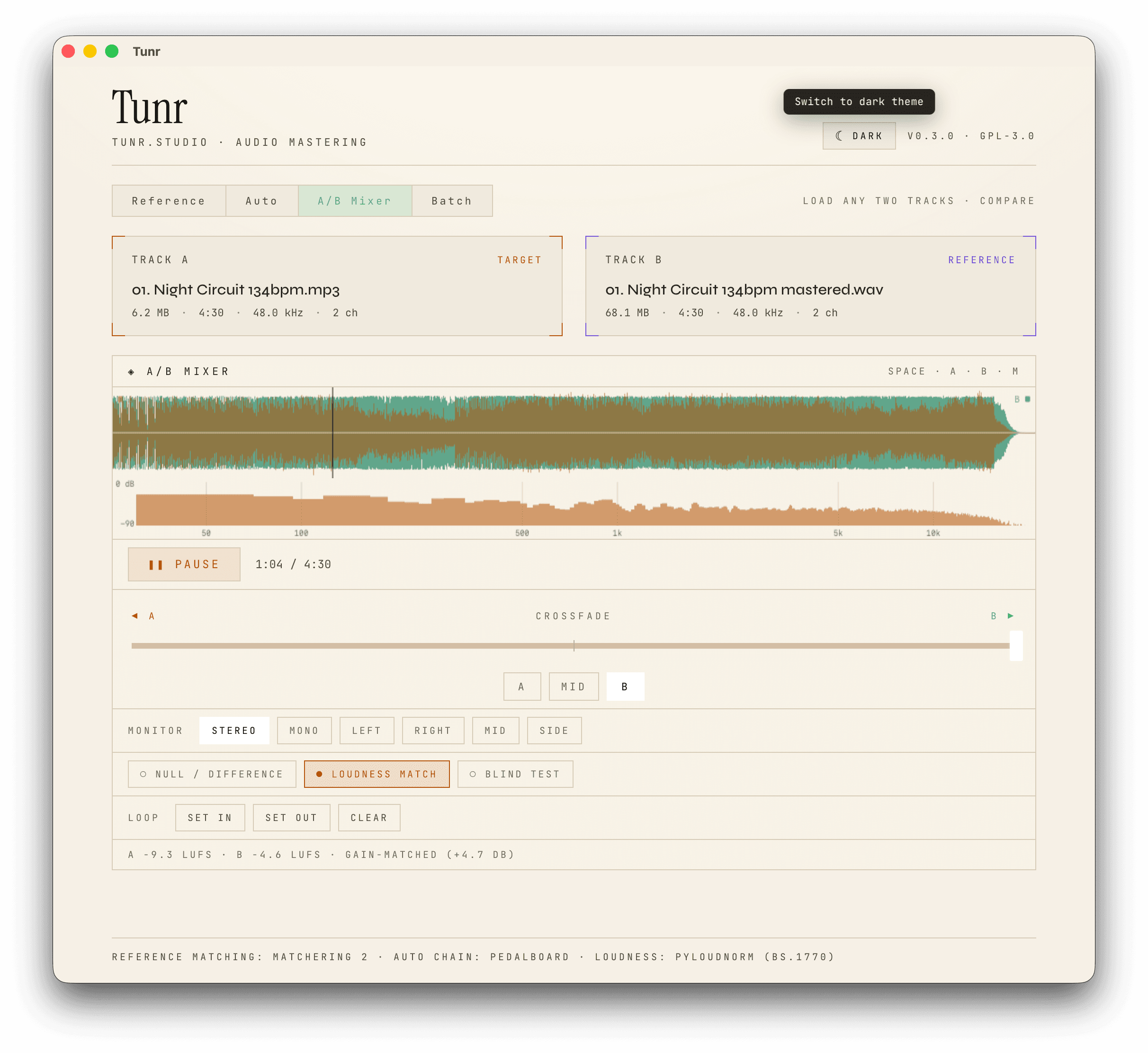
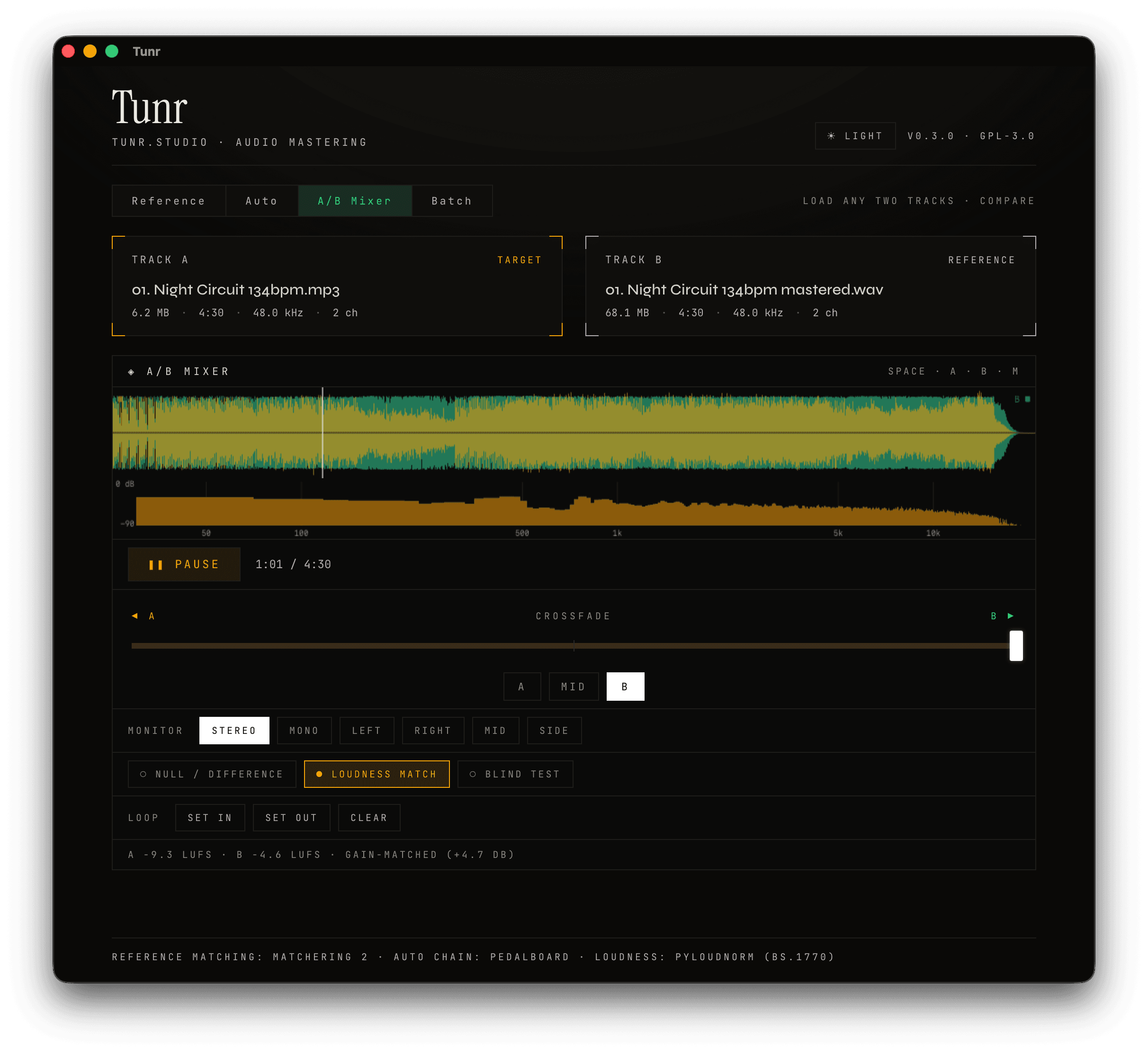
Load any two tracks side by side. Equal-power crossfade, null-test, blind test, loudness match. Listen in stereo, mono, mid, or side. The ear-trainer producers actually use.
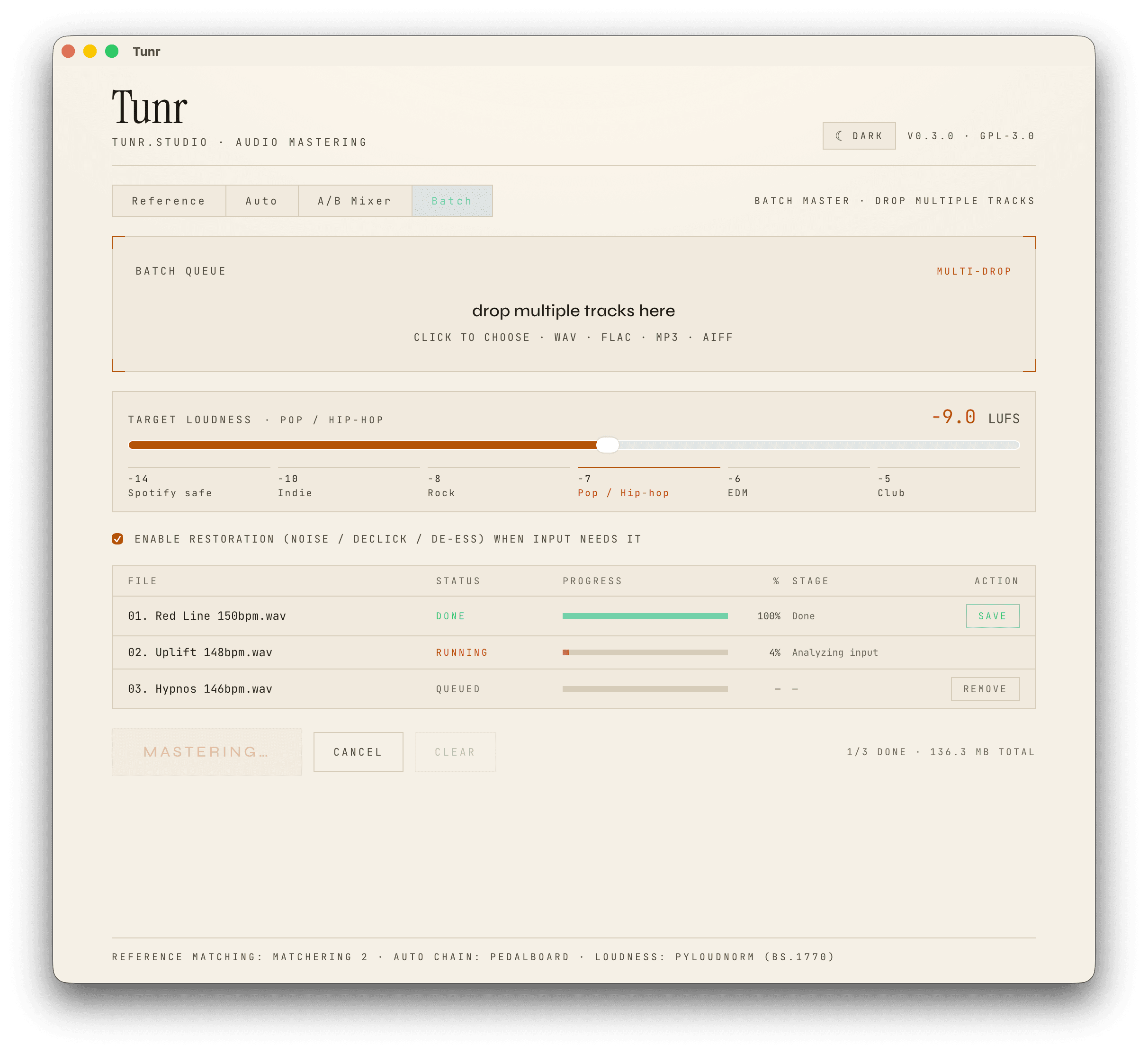
Queue an album, an EP, or a season's worth of remixes. Tunr masters them one after another with the same settings, saving each as it finishes. Cancel anytime.
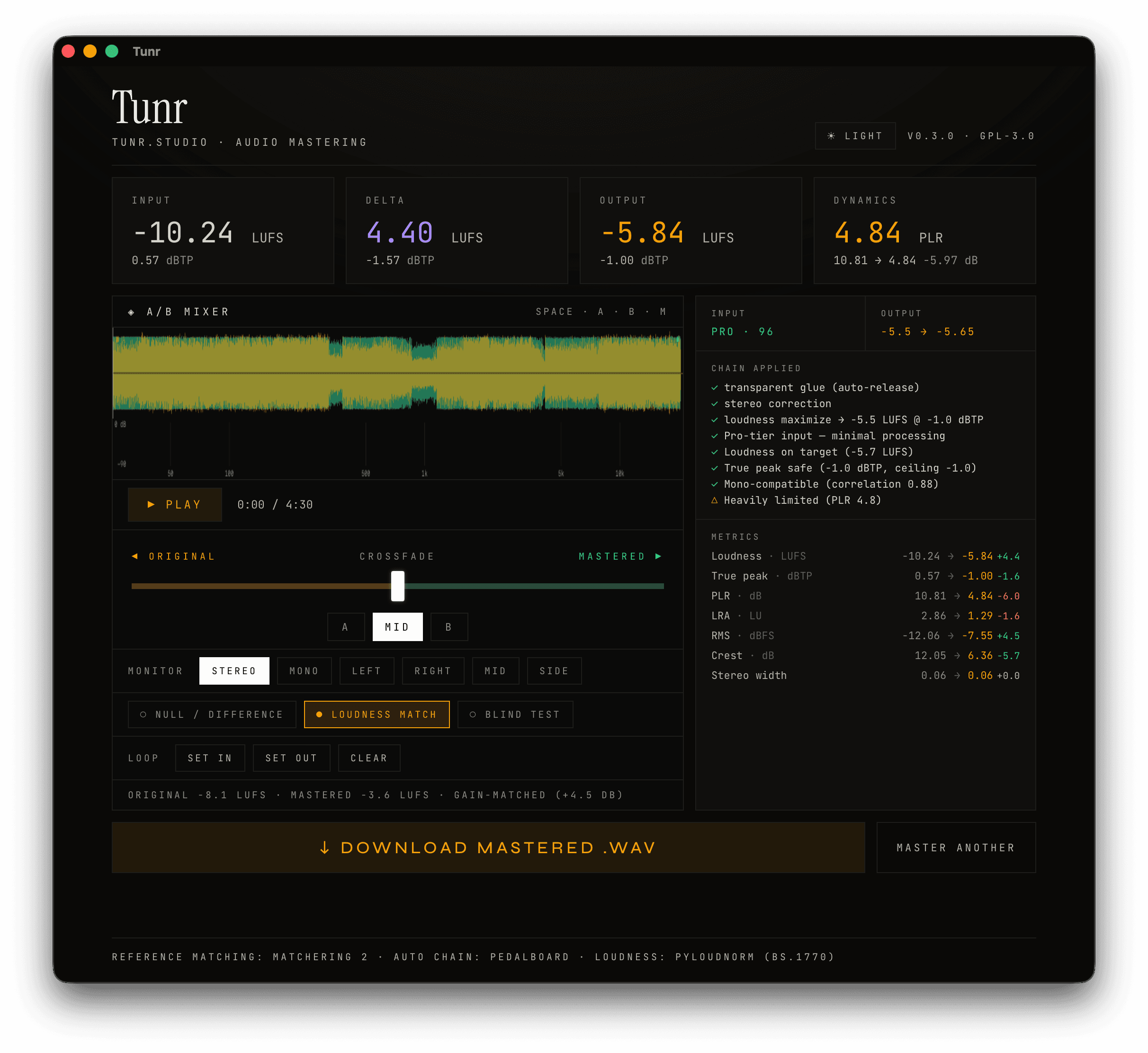
original vs mastered
flip loudness match on to compare tone instead of volume
no subscription · no upsell · no plugin store
made by a. o. signtech · your key arrives by email
◈ guides
Short, honest answers to the questions people ask before they master a track: what to use instead of LANDR, how loud a master should be, how to master without a DAW, and what to do with AI-generated songs.
The strongest LANDR alternative depends on what you want to drop: pay per-track or subscription. For free, fully-offline local mastering, Tunr (Mac & Windows) is the closest fit. BandLab is the best free option, iZotope Ozone the pro plugin, and Matchering the free open-source route.
Read the guide →To master a track on a Mac without a DAW, use a standalone mastering app: export your mix as a WAV, drop it into a tool like Tunr, choose a loudness target, and render. You don't need Logic, Ableton, or plugins — a dedicated app handles EQ, compression, and loudness in one pass.
Read the guide →To master a Suno or Udio track, export the highest-quality WAV the generator allows, then run it through a mastering tool to set loudness, balance the tone, and tame harshness. Mastering makes an AI track louder and more consistent for streaming — but it can't remove the underlying 'AI sheen' or fix a muddy generation. That's a re-generation problem, not a mastering one.
Read the guide →Master to about -14 LUFS integrated for streaming (Spotify, YouTube, Tidal, Amazon all normalise near there), or -16 LUFS for Apple Music, with a -1 dBTP true-peak ceiling. Go louder only for club/DJ use (-9 to -6 LUFS). On streaming, mastering louder than the target just gets turned down — it doesn't make you louder.
Read the guide →Audio mastering is the last stage of making a record. It takes a finished stereo mix and adjusts its tone, dynamics, stereo image and loudness so it holds up on any system and meets delivery specs. Mixing balances the individual tracks; mastering works on the whole song, usually from one stereo file.
Read the guide →To prepare a mix for mastering, export a clean stereo file that peaks around -6 to -3 dBFS, with any loudness limiter removed from the master bus. Use 24-bit WAV or AIFF at your session's sample rate, keep the fades natural, and fix clicks, hum and balance problems before you bounce.
Read the guide →A mastering limiter is the last stage in the chain. It stops peaks from rising above a set ceiling, which lets you raise the overall loudness without digital clipping. A good one turns the gain down smoothly just ahead of each peak and recovers without being heard. A careless one adds distortion you can measure.
Read the guide →Choose a mastering engineer when a release matters and you want judgement and feedback on the mix. Choose automated mastering when you need speed, low cost or many versions. In published blind tests, human engineers tended to rank higher, but listeners couldn't reliably pick them out and results varied by genre.
Read the guide →Reference track mastering means comparing your song with a finished release you admire and using it to guide tone, dynamics and loudness. Pick a song in the same genre with a similar arrangement, match the two in loudness before you compare, and copy the broad balance rather than every detail.
Read the guide →All guides: tunr.studio/guide
short answers · no marketing
Yes, completely. Tunr is a desktop app and every step, from analysis to the final render, runs on your own Mac or PC. Your unreleased tracks never leave your computer and never touch a server. There is no account, no subscription and no internet connection needed to master; the only online step is the one-time email that delivers your free licence key.
Tunr runs on macOS 11 and later, with separate native installers for Apple Silicon and Intel Macs, and on 64-bit Windows 10 and later. The Mac builds are signed and notarised by Apple. There is no Linux build today; it may follow later.
LANDR, CloudBounce and similar services upload your track to their servers, charge a monthly subscription or a per-track fee, and cap how much you can master. Tunr runs entirely on your Mac or PC, is free, and gives you unlimited masters. Nothing is uploaded and nothing expires. Tunr also shows you what it measured and why each processing step is in the chain, with the numbers, where most cloud tools return a finished file and nothing else.
Tunr is a standalone app, not a plugin. There is nothing to install into a DAW and no DAW is required: export your mix as a WAV, AIFF or FLAC, drop it into Tunr and get a finished master back. If you do work in Logic, Ableton or FL Studio, you simply master the exported file after the mix is done.
It measures the track first: tonal balance, dynamics, loudness, true peak, stereo image, noise and clipping. From those findings it proposes a mastering chain, in a fixed order of gain, restoration, match EQ, parametric EQ, dynamic EQ, compressor, multiband, saturation, stereo and a true-peak limiter, and every step carries a plain-language reason tied to a measurement. You can bypass or edit any step, preview the loudest 20 seconds against your mix, and render when it sounds right. In Reference mode the tonal and loudness targets come from a song you choose.
The mastering engine was rebuilt. 0.5.0 adds a true-peak limiter with lookahead and oversampled detection, oversampled saturation, a compressor whose attack and release behave as labelled, dynamic EQ and multiband stages, findings with reasons instead of quality scores, a 20-second A/B preview, loudness presets for streaming, club, broadcast and podcast targets, proper dither, and a mastering report with a delivery check. It also ships a native Intel Mac build. The full notes are at tunr.studio/changelog.
Tunr masters three tracks on a machine before it asks for a licence key, and the key is free: add your email at tunr.studio/key and we send it. Every mode and every export option is included either way, with no watermark and no drop in quality. Comparing and analysing tracks in the A/B Mixer never counts; only saving a finished master does.
Every update is free for the life of your licence, including major new versions such as the 0.5.0 engine rebuild. Installed copies update themselves through the in-app updater, and there are no paid upgrade tiers.
Two per licence. Laptop plus studio is the typical split, and you can move your licence to another machine yourself, anytime, with no support ticket.
Your key keeps working exactly as it did, on the same two machines, with the same updates for life. Nothing to do, nothing expires. Refunds on those purchases still run through Paddle within 14 days, same as before.